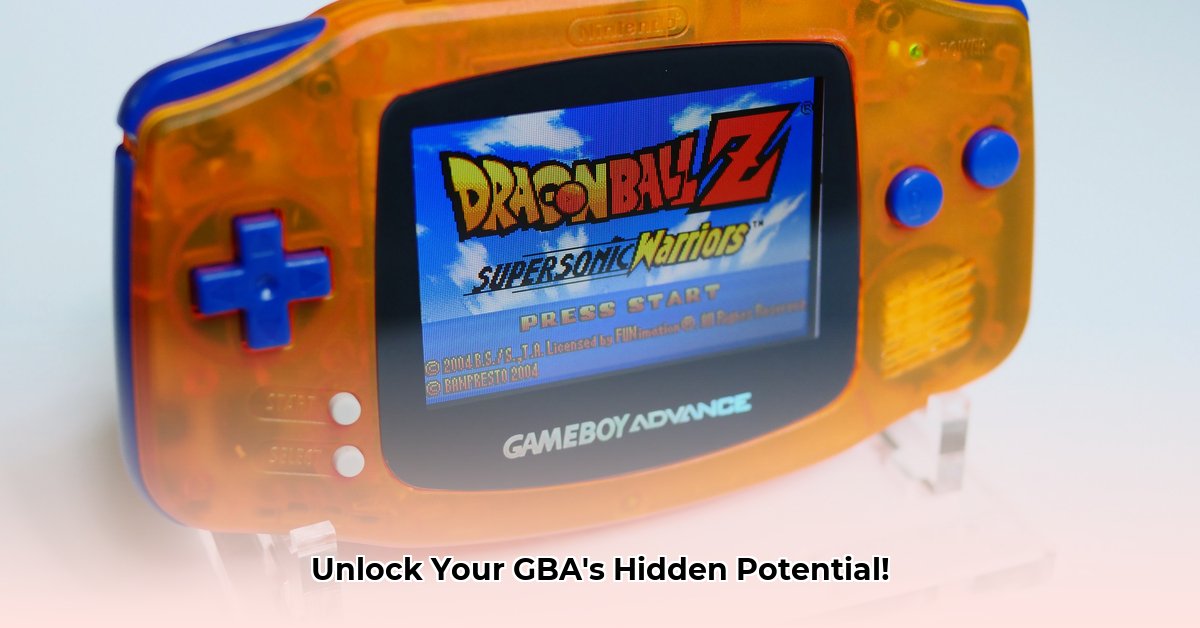
Ready to breathe new life into your classic Game Boy Advance? This guide provides a step-by-step walkthrough for upgrading your GBA, transforming it from a nostalgic relic into a modern gaming marvel. We'll explore popular modifications, guide you through the installation process, and offer troubleshooting tips to ensure a successful modding experience.
Why Mod Your GBA?
Why invest time and effort in modernizing your Game Boy Advance? The answer lies in a significantly enhanced gaming experience. Imagine playing your favorite retro titles with vibrant, clear visuals, enhanced controls, and extended battery life. A modded GBA isn't just a retro console; it's a personalized project reflecting your creativity and technical prowess. It's about taking a classic and making it even better. Isn't that what we all want, a better game experience?
Popular GBA Modifications
The GBA modding community offers a wealth of options. Let's explore some of the most popular upgrades:
IPS Screen Upgrades: Swap out your GBA's dim, washed-out screen for a bright, vibrant IPS (In-Plane Switching) display. This results in dramatically improved color accuracy, sharper details, and vastly improved visibility, even in direct sunlight. It's like HD for your handheld.
Custom Shells: Personalize your GBA's appearance with custom-designed shells. Choose from countless colors and designs, or even create a unique look with custom artwork. This is more than just cosmetics; a new shell also protects your GBA from everyday wear and tear.
Backlight Upgrades: Original GBAs lacked adequate backlights, limiting playability to well-lit environments. A modern backlight upgrade lets you enjoy your games anytime, anywhere.
Enhanced Buttons: Replace worn-out or unresponsive original buttons with enhanced replacements. Often offering improved responsiveness and a more comfortable feel, some even include RGB lighting for a stylish touch.
External Battery Packs: Extend your GBA's battery life significantly with an external battery pack. Enjoy hours of uninterrupted gaming without worrying about power.
Choosing Your Mods: A Practical Approach
Before you start modding, consider your budget and technical expertise. Different upgrades require varying levels of skill and cost. The following table summarizes popular mods:
| Modification | Pros | Cons |
|---|---|---|
| IPS Screen | Superior image quality, vibrant colors, improved viewing angles | Higher cost, requires disassembly/reassembly |
| Custom Shell | Personalized appearance, added protection | Requires disassembly/reassembly, adds to overall cost |
| Backlight Upgrade | Enables play in low-light conditions | May require soldering skills, potential for uneven illumination |
| Button Enhancement | Improved responsiveness, comfort, potentially customizable lighting | Can be challenging to install, may require advanced modding skills |
| External Battery Pack | Significantly extends playtime | Adds bulk to the console, increases overall cost |
Step-by-Step: IPS Screen Installation (Example)
Let's walk through installing an IPS screen, a popular and impactful modification. Always refer to your kit's instructions. This guide is for illustrative purposes only.
Preparation: Gather your tools: Phillips head screwdriver, plastic spudger (to avoid scratching), and your IPS screen kit. Ensure a well-lit workspace.
Disassembly: Carefully disassemble your GBA. Numerous online guides demonstrate this process. Take photos as you progress.
Ribbon Cable Connection: Gently connect the IPS screen's ribbon cable to the GBA motherboard. Ensure a secure connection.
Reassembly: Carefully reassemble your GBA, securing all screws.
Testing: Power on your GBA and verify the new screen's functionality.
Troubleshooting Your Modded GBA
Encountering problems? Don't panic! The GBA modding community is supportive. First, double-check all connections. Loose connections are a primary cause of issues. Online forums and communities are invaluable resources for troubleshooting and seeking expert advice.
Conclusion: Embark on Your Modding Journey!
Modifying your Game Boy Advance is a rewarding experience, blending nostalgia with modern technology. With patience and attention to detail, you can transform your retro console into a personalized gaming masterpiece. Remember to prioritize safety and take your time throughout the process. Ready to get started?
⭐⭐⭐⭐☆ (4.8)
Download via Link 1
Download via Link 2
Last updated: Sunday, May 04, 2025